SCOPIO LABS · RMS

OVERVIEW
Scopio Labs builds digital cell morphology scanners used in medical labs worldwide. Their distributors, such as Beckman Coulter, manage hundreds of these scanners across Europe and the US, performing remote operations such as opening tunnels, running commands, and updating software.

My Role
THE BUSINESS MANDATE
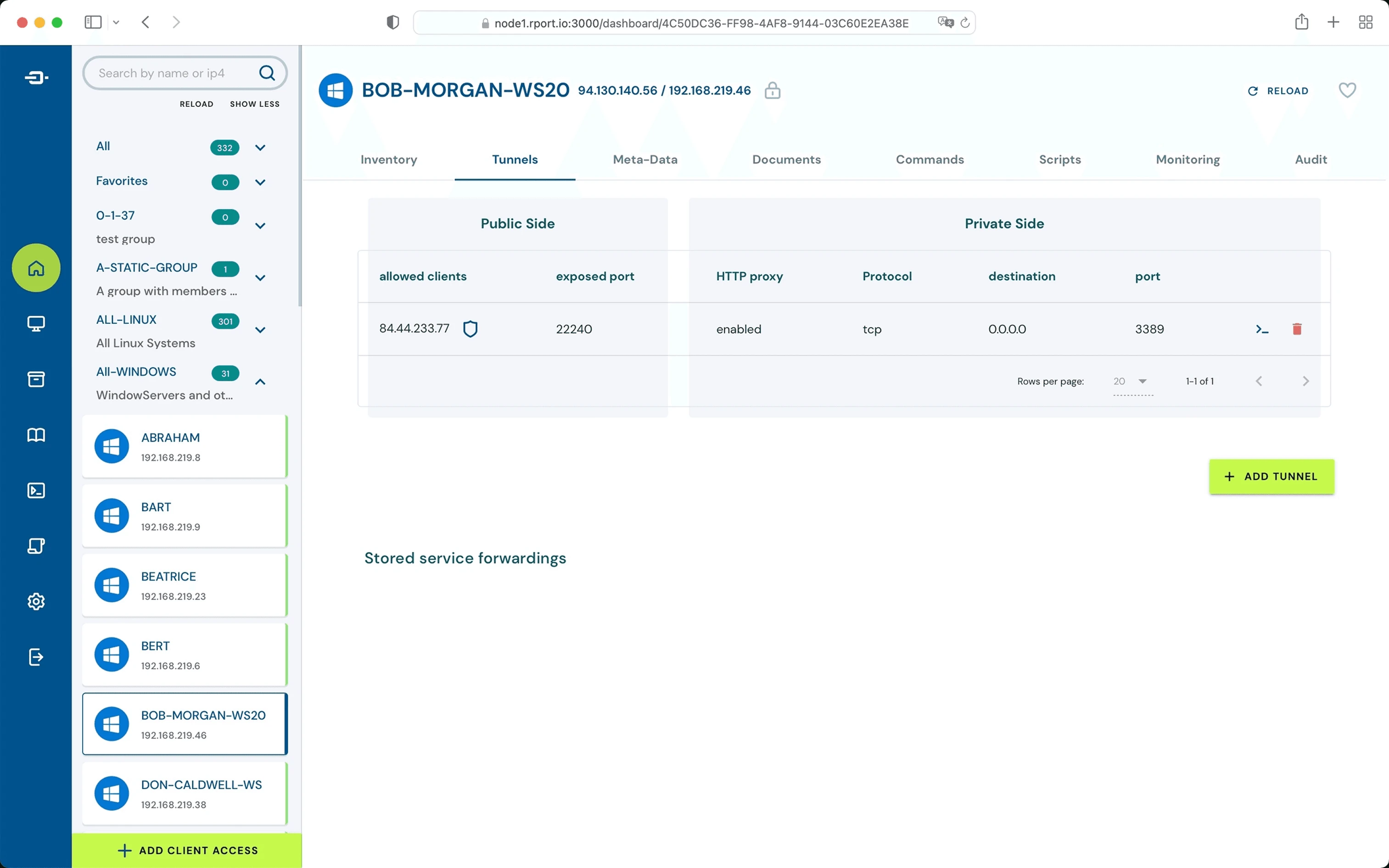
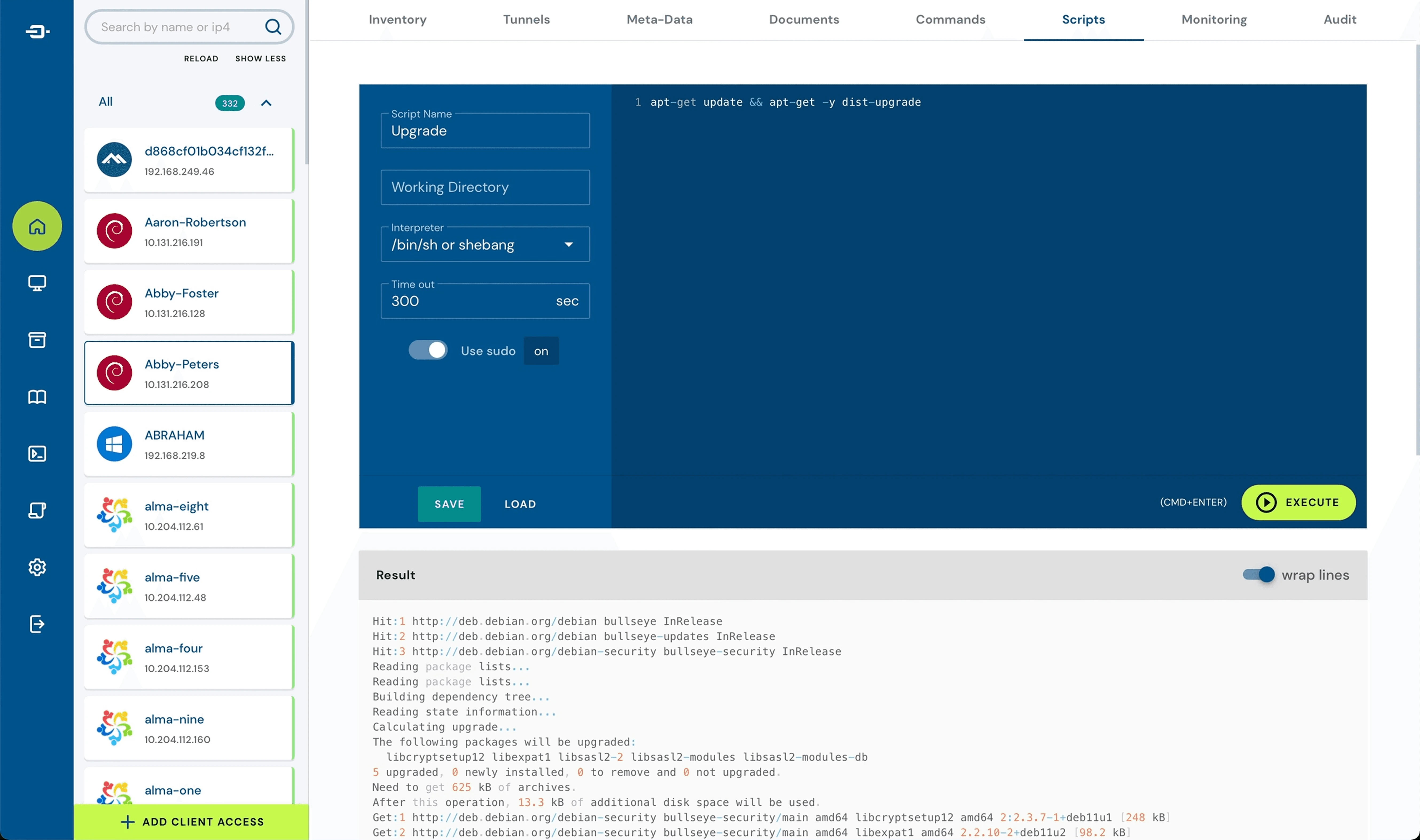
Distributors used Rport, an open CLI tool, to perform remote operations on Scopio's scanners. The core issue: they had unrestricted access to the system, including the ability to edit update scripts directly.
This wasn't a configuration fix. Scopio needed a purpose-built frontend that could lock down access, enforce protocols, and give users the confidence to operate independently.
RISK 01
Uncontrolled script access
Scripts could be unintentionally modified, causing deployment failures on live medical hardware.
RISK 02
Low system adoption
The lack of guardrails made users reluctant to operate independently, pushing routine tasks to Tier-2 support.
UX CHALLENGES
Through interviews with both user types, three design challenges emerged.
01
Identity Loss in Tab Overload
Every action opens a new browser tab. Users quickly lose context of which machine they're operating on, risking catastrophic misconfigurations.

David Ron
Age 36 · Scopio Technical Support
"Juggling 15 browser tabs just to track updates and active operations is exhausting."
02
The Context Blind Spot
Navigating away from an active software update means losing all visibility of its progress and terminal output, creating severe operational blind spots.

John Carter
Age 52 · Beckman Coulter distributor
"Navigating away from the deployment tab means losing the progress and logs."
03
Unguided & Cluttered Workflows
Rport provides no structured update flow and no guardrails. Each user followed their own understanding of the process, with no shared protocol, which causes errors.

David Ron
Age 36 · Scopio Technical Support
"We keep getting the same calls. Different users, same errors."
SOLUTION 01
To CHALLENGE 01 - tab overload
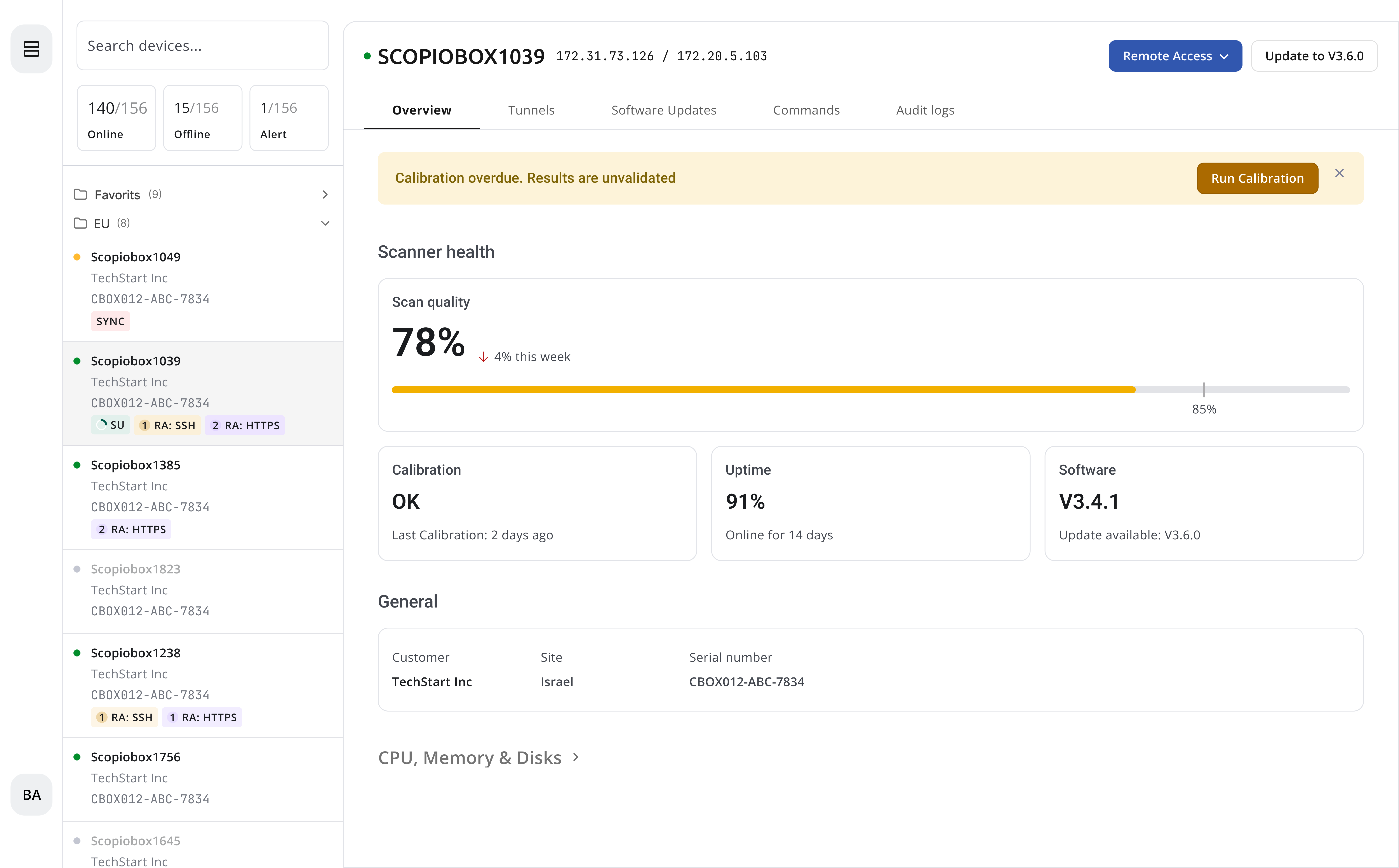
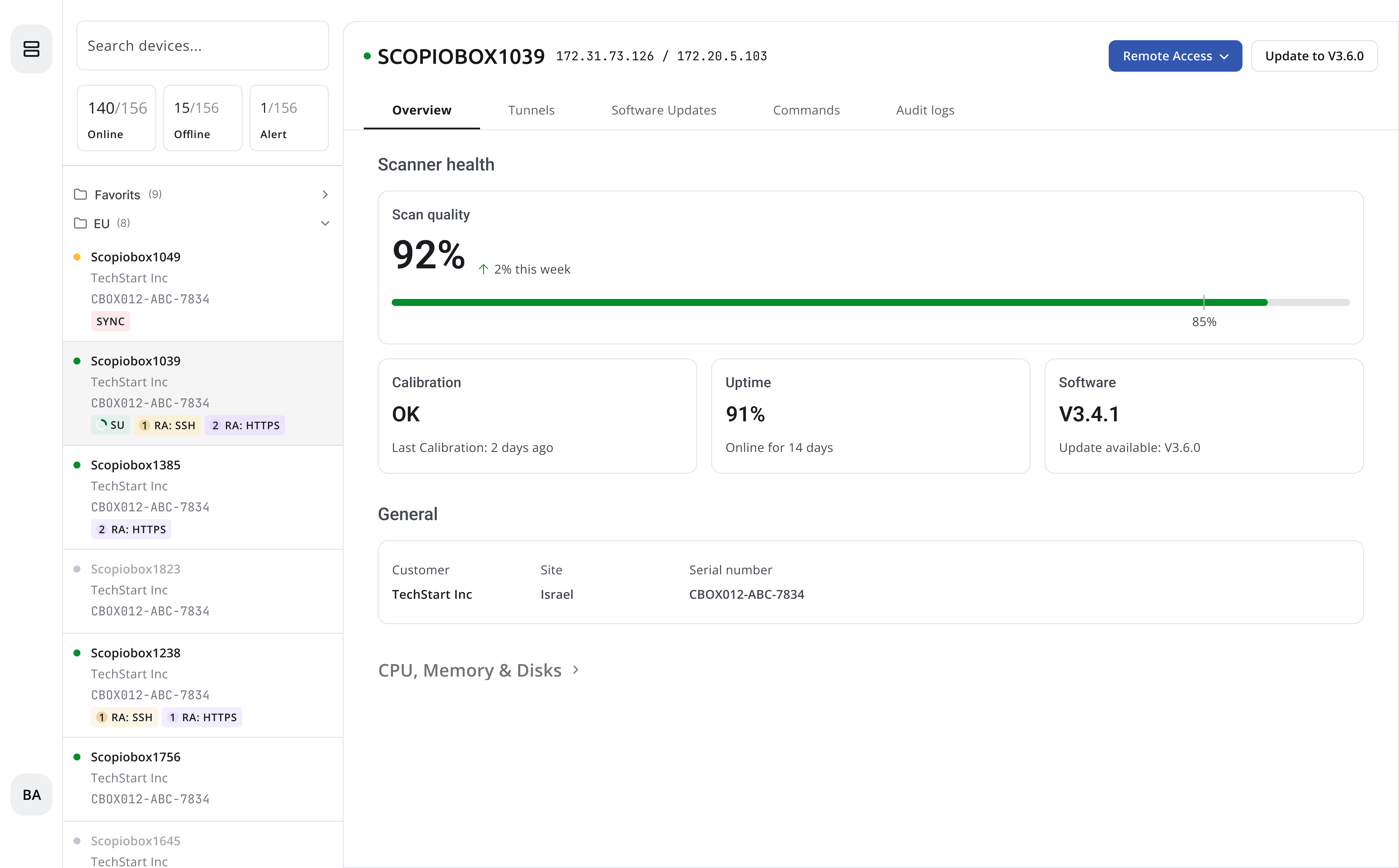
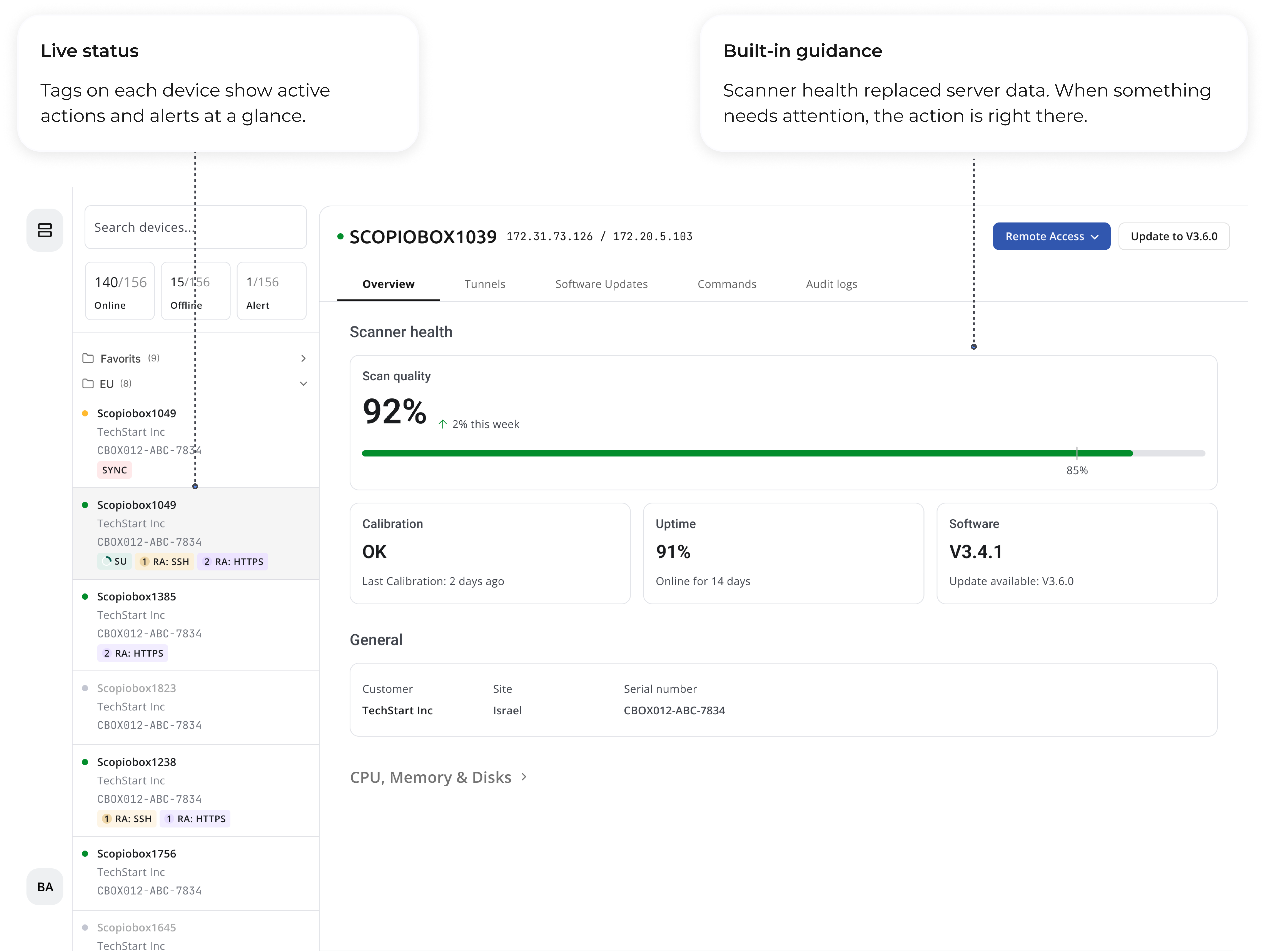
The main hub where every operation starts and all active statuses are visible.

Access application screen: full view
The Scopio application is accessed via an HTTPS tunnel directly within the RMS, with no external tabs.
The Scopio application opens via HTTPS / SSH tunnel directly inside the RMS. The device name is always visible, the user always knows which scanner they are connected to.


SOLUTION 02
To CORE CHALLENGE - Unrestricted Script Access
Scripts are locked and read-only across all operations. Whether running commands or updating software, users have full visibility into what is happening with no ability to modify the underlying process.
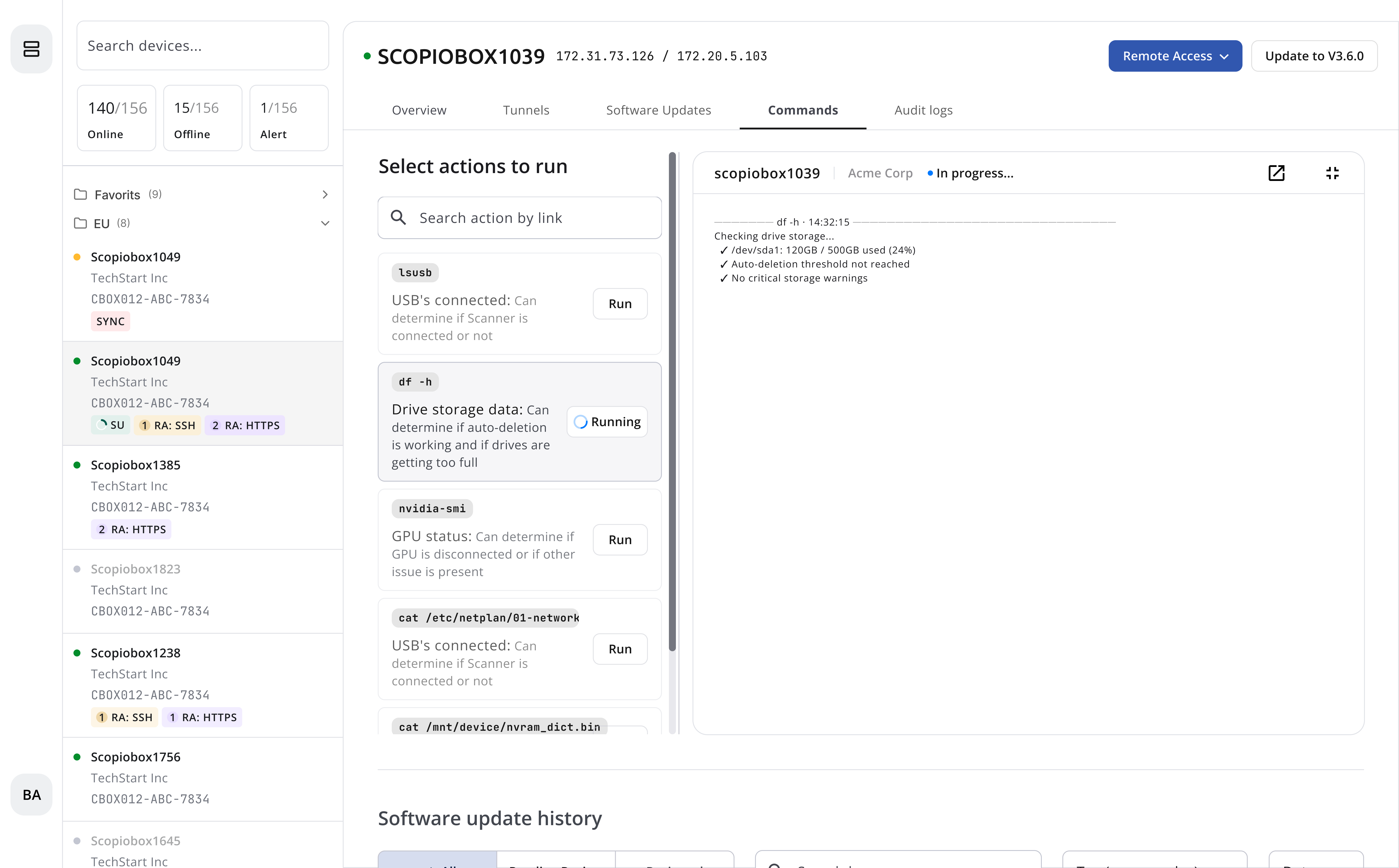
Commands screen
The Commands screen contains predefined operations with live output, replacing direct script access
Commands are labeled by the trigger users already recognize. I added a description that explains exactly what each command performs.
Software Update screen
The Software Update screen is where the update runs live, progress is tracked in real time, and the full log is recorded and stored upon completion.

SOLUTION 03
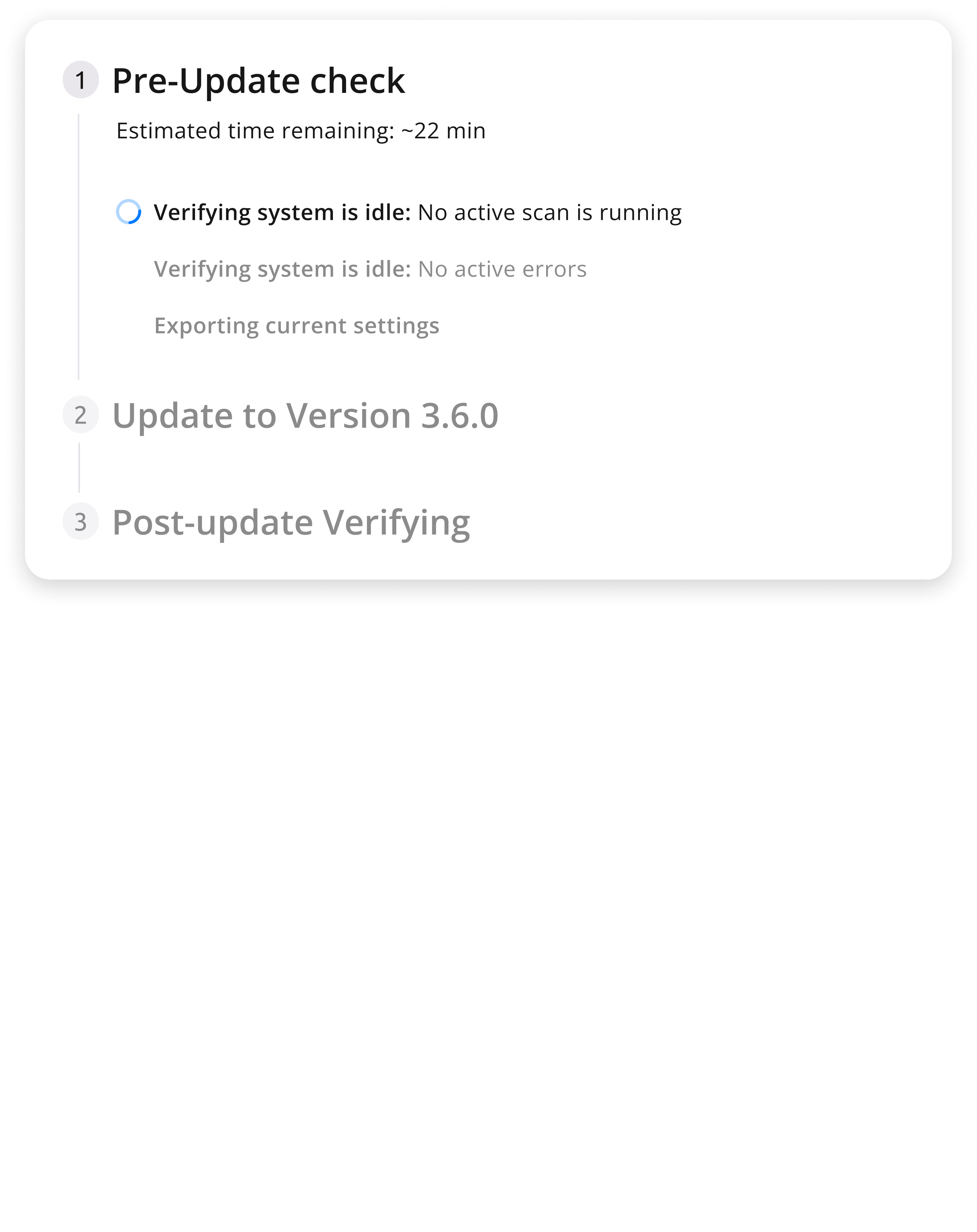
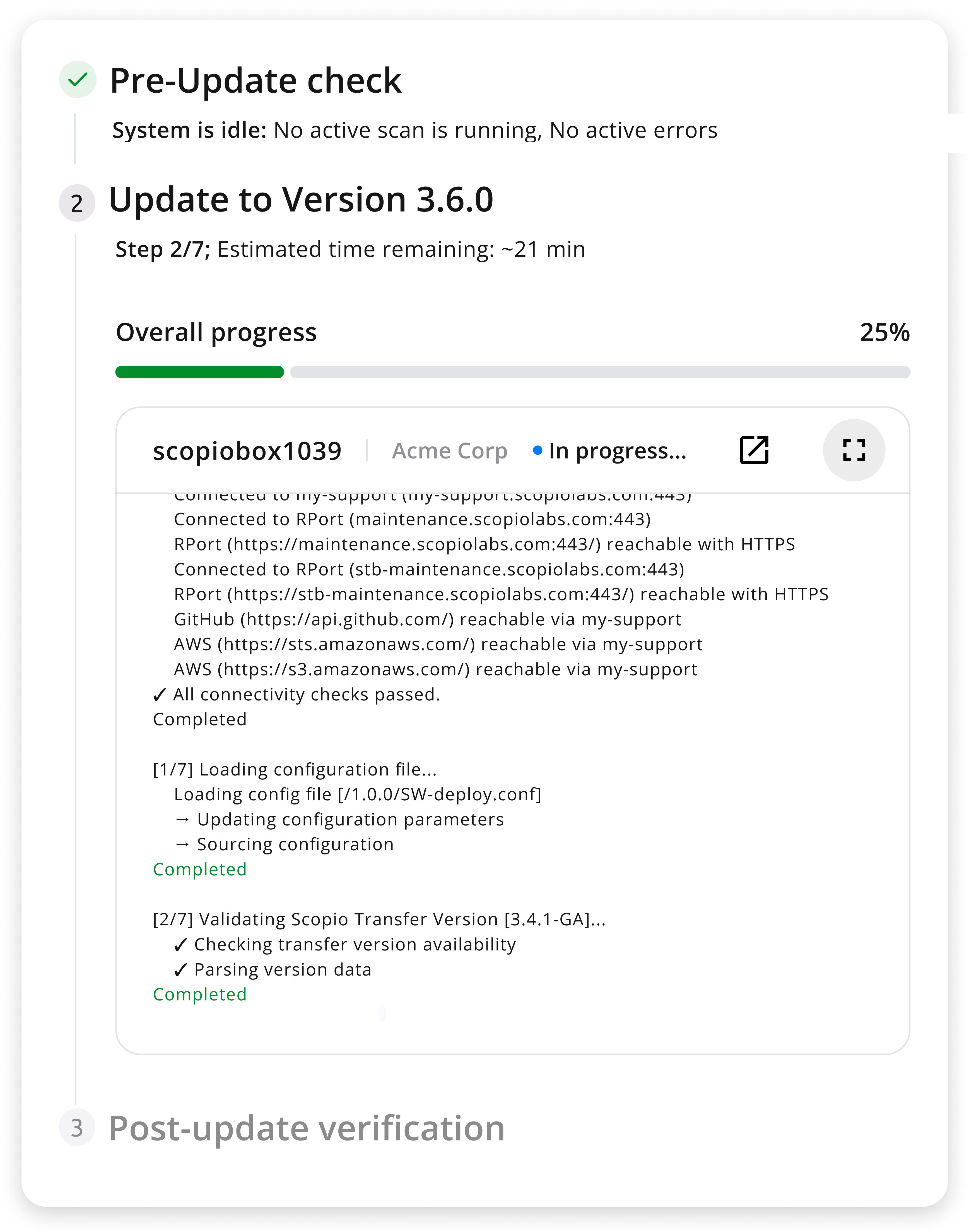
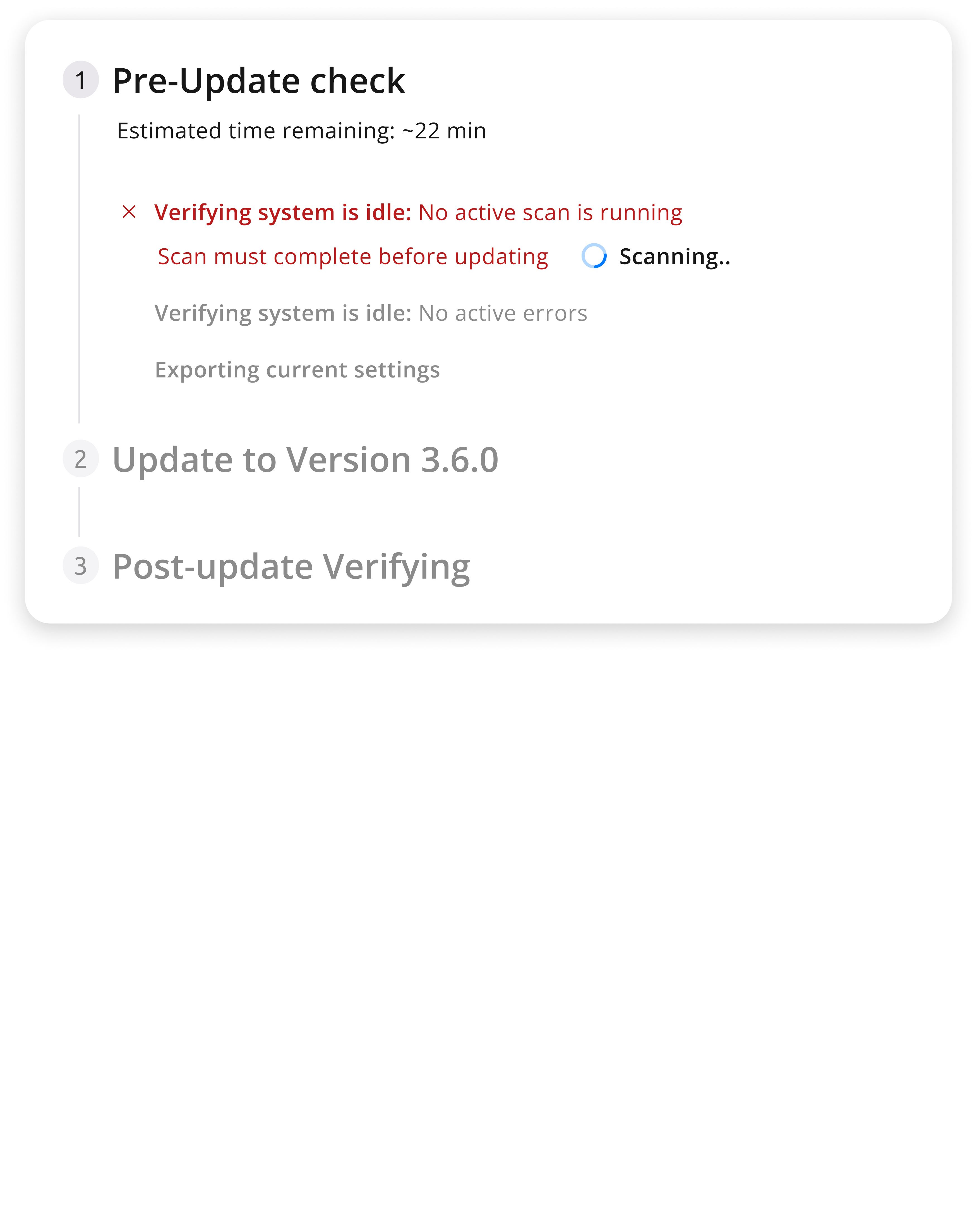
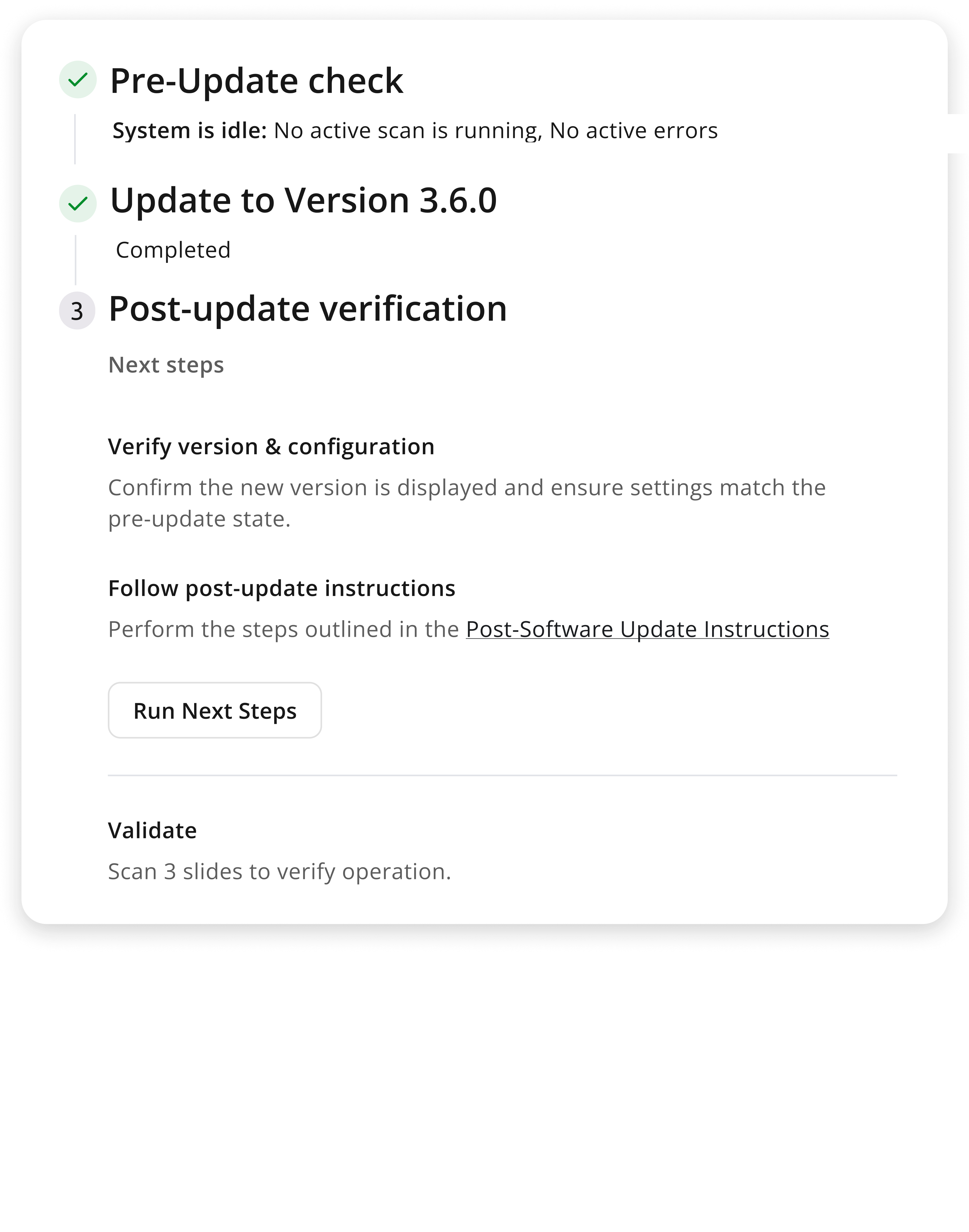
A structured wizard replaces guesswork with a clear, enforced protocol. Every step of the software update process is defined, sequenced, and tied directly to Scopio's deployment guidelines.
PHASE 01
Two mandatory checks: verify the system is idle, export current settings. Next unlocks only when both are confirmed. State persists if the modal is closed and reopened.
PHASE 02
The user can navigate freely while the update runs. The SU tag in the device list acts as a live progress bar, and the full log remains available upon return to the update screen.
PHASE 03
Guided next steps based on update status. Advisory, not enforced. Users can dismiss and access the full log at any time.
EXPECTED IMPACT
The system was designed to reduce dependency on Tier-2 support and enable confident, independent operation.
Reduced Support Escalations
By guiding users through every critical operation, the system eliminates the ambiguity that drove routine tasks to Tier-2 support.
Zero Human Errors in Updates
Locked scripts and a mandatory pre-check wizard remove the conditions that caused deployment failures and hardware damage.
Full Operational Visibility
Persistent logs and real-time status indicators mean users are never operating blind, regardless of where they are in the system.
Increased System Adoption
A governed, trustworthy interface gives users the confidence to operate independently, reducing both friction and fear.
If you have any questions, feedback or would like to discuss my work further, feel free to get in touch :)
View Project